
A simple popup means a popup that display some information in a nice way and it has a Close button. It doesn’t have email collection feature (that would be a Subscription popup, we’ll get to that later on)
Please follow the steps below for creating a SImple Popup:
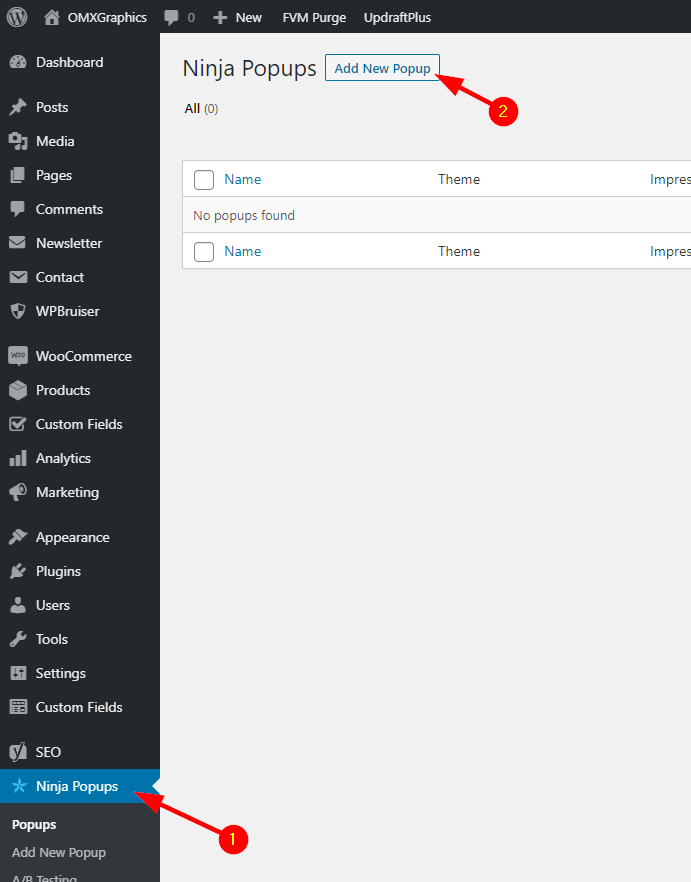
1. Start by clicking on Ninja Popups item in Admin menu,
2. Then click the Add New Popup button:
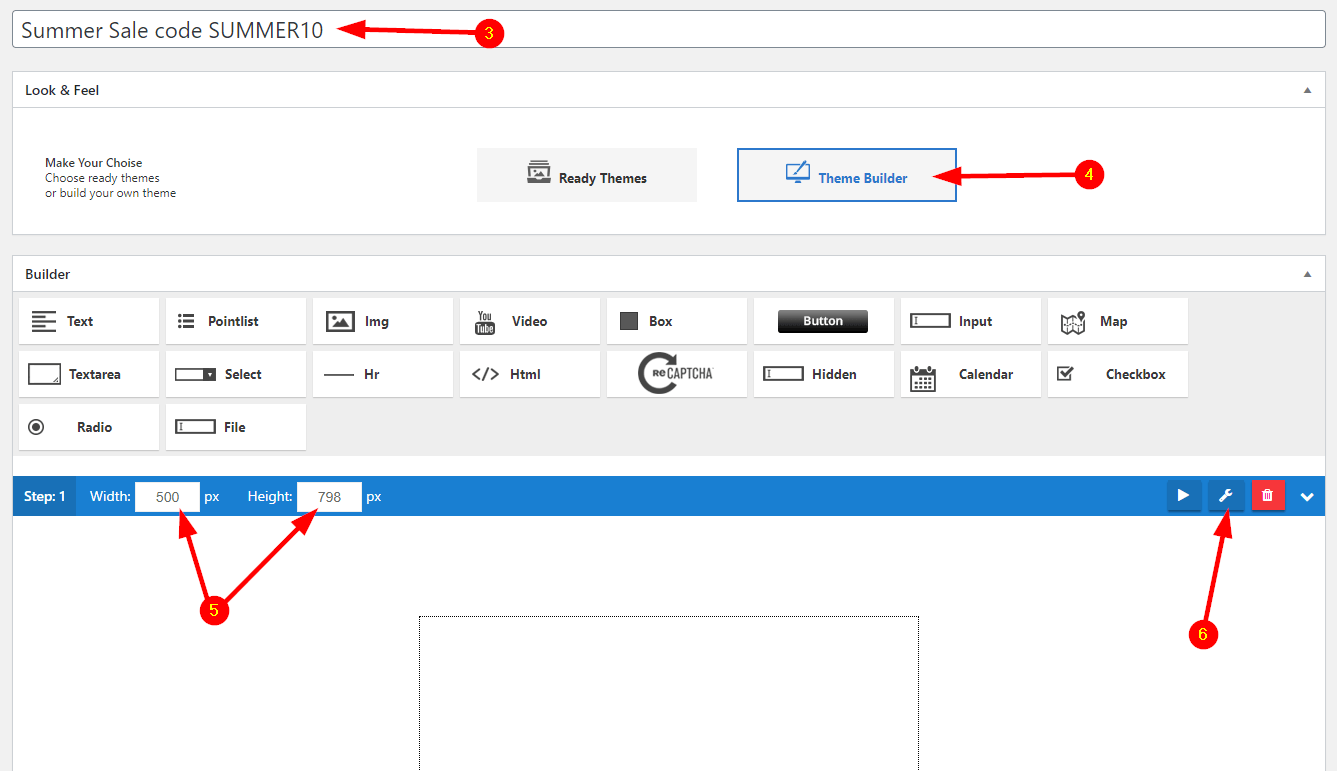
3. Type in a relevant name for the popup (it will only be used in back end)
4. Click Theme Builder button
5. Set the max width and height of the popup
6. Click the wrench button to edit the background of the popup
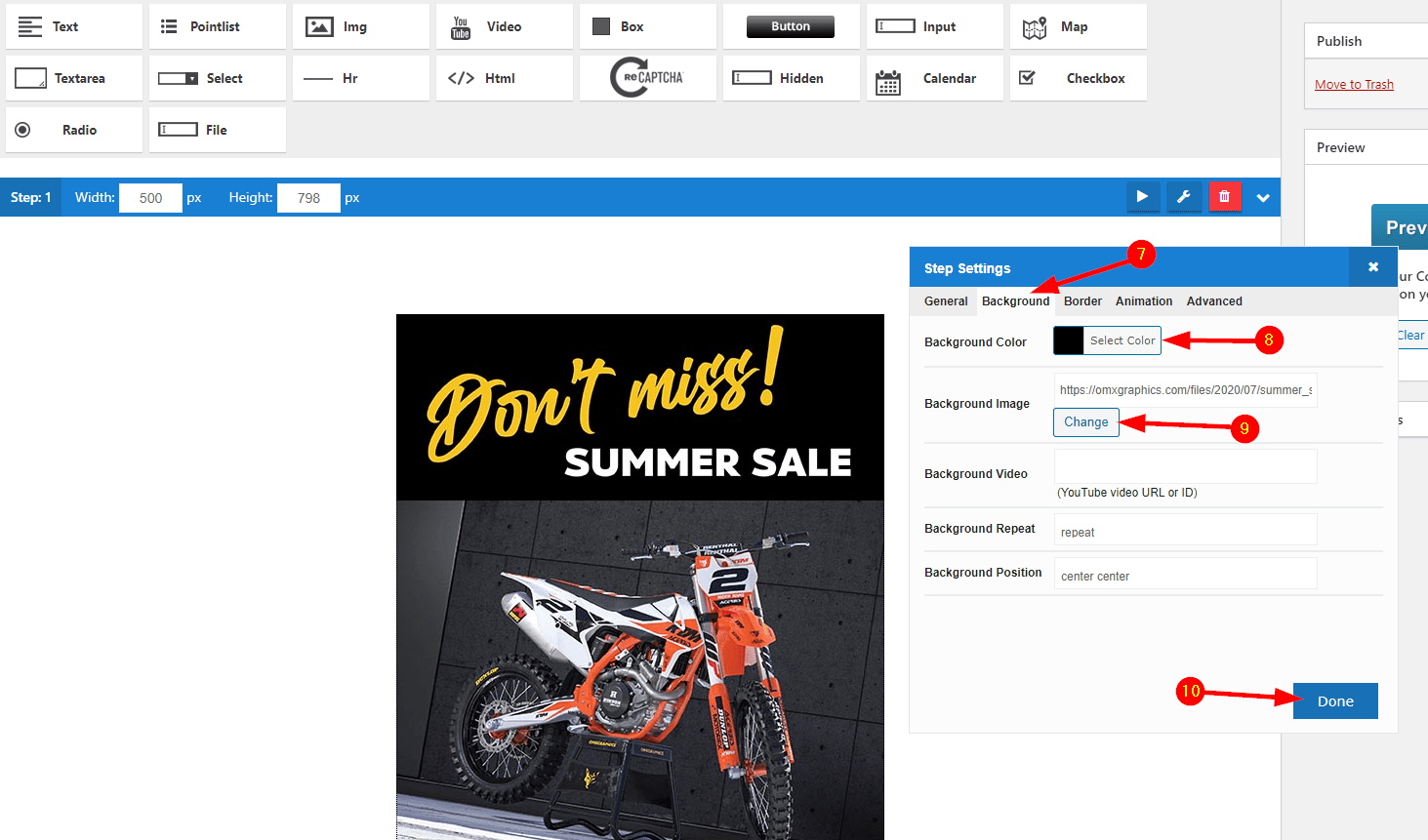
7. Click the Background tab
8. Click Select Color button and choose a color that will be the background of the entire popup
9. Click Change button to add a picture from Media Library
10. Click Done button to close this window
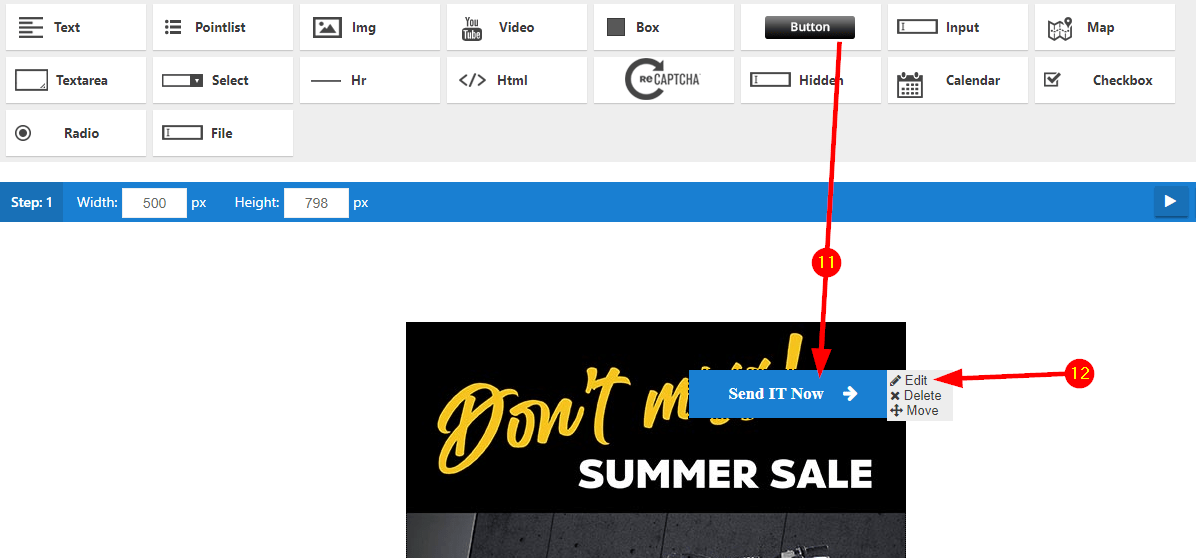
11. Drag a Button element from top bar into popup area (we’ll transform this in a Close button with an X)
12. Click the Edit link next to the button
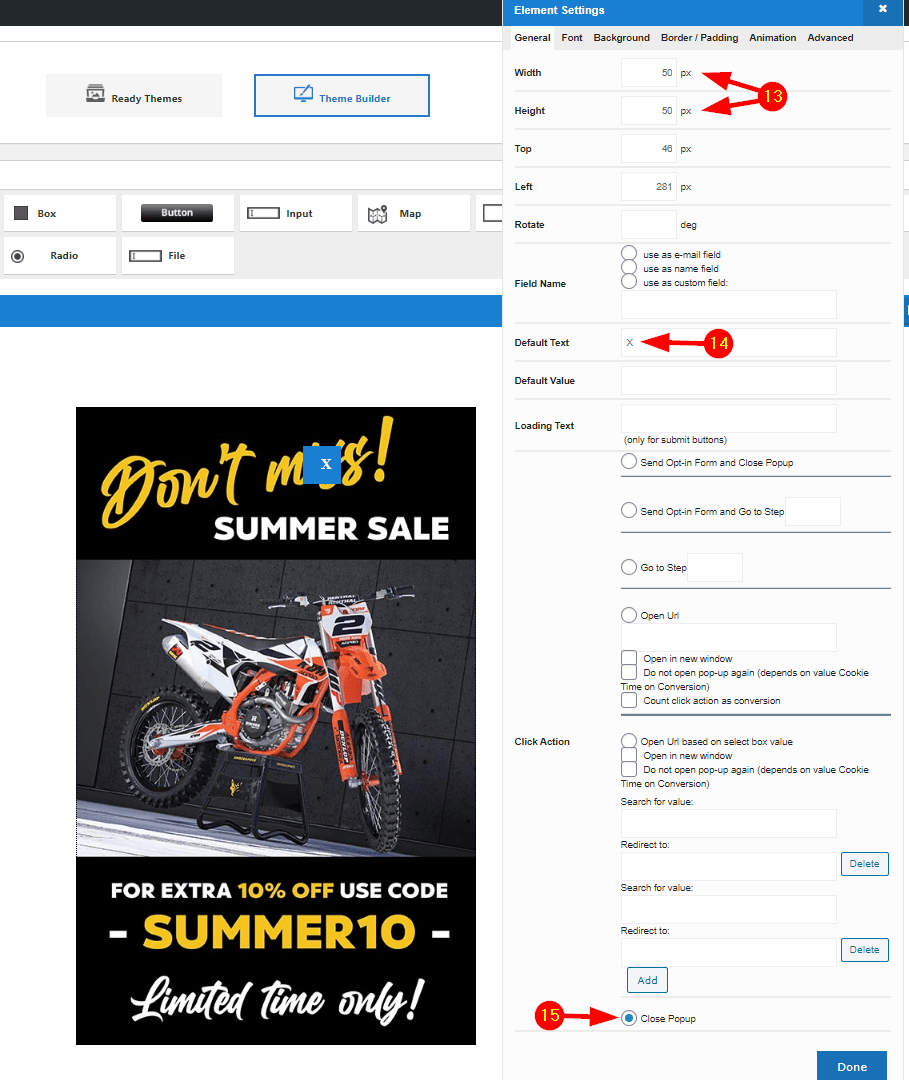
13. Set the Width and Height of the button equal and small enough
14. Change Default text to an « X » and delete other text from adjacent fields
15. Set Close Popup as the Click Action option
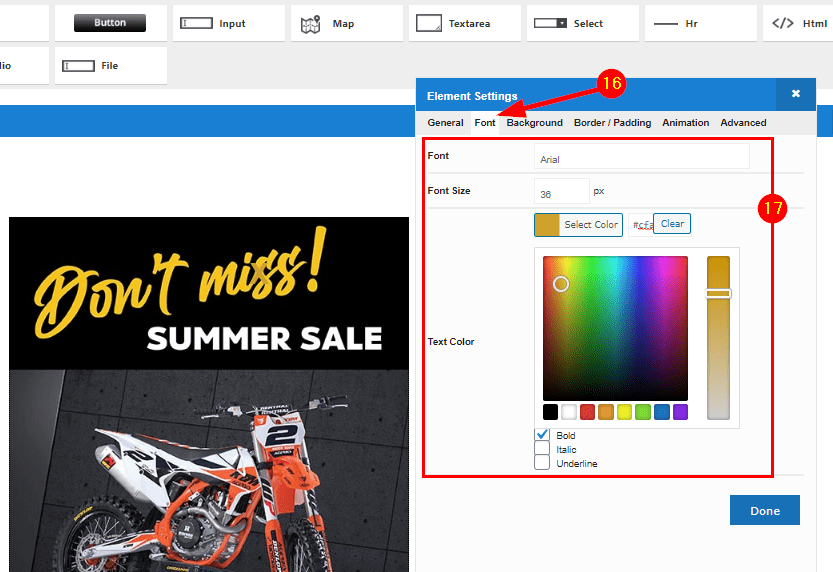
16. Click the Font tab
17. Set the font attributes for the « X » text of the button
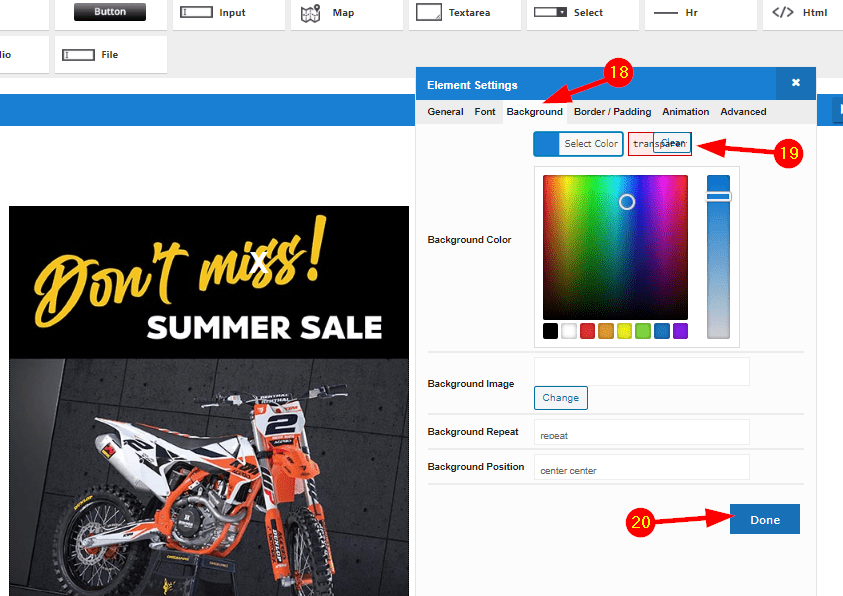
18. Click the Background tab
19. Click the Select Color button and type « transparent » in the small input field next to that button
20. Click the Done button to finish editing the button
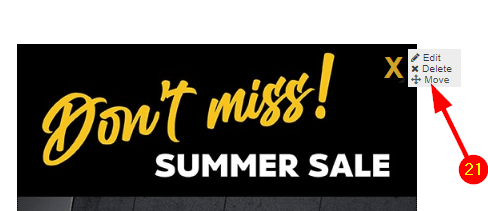
21. Drag the button in place
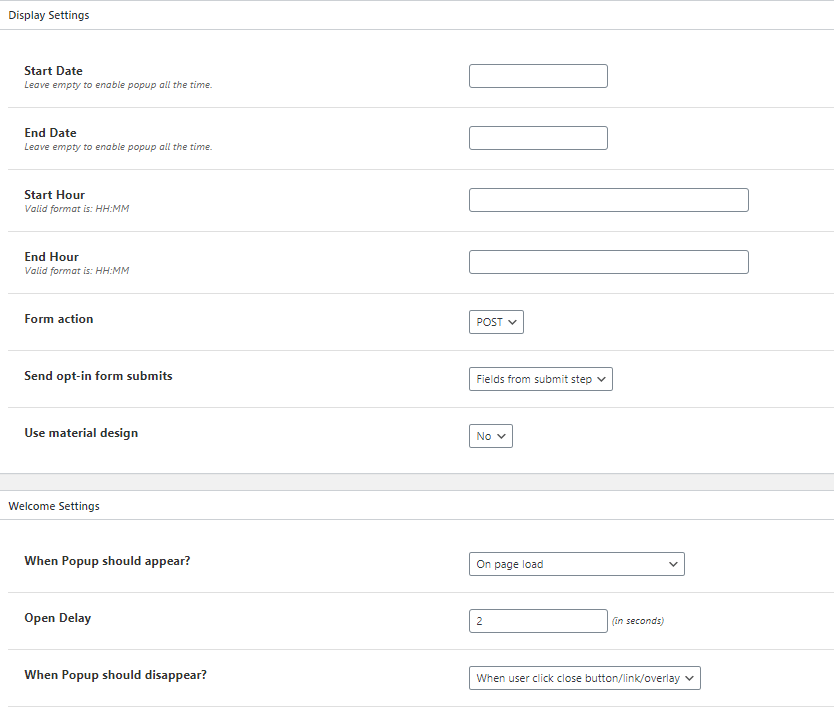
(scrolling down the page you could edit date interval for the popup, the triggers that make is appear and disappear and a lot other settings)
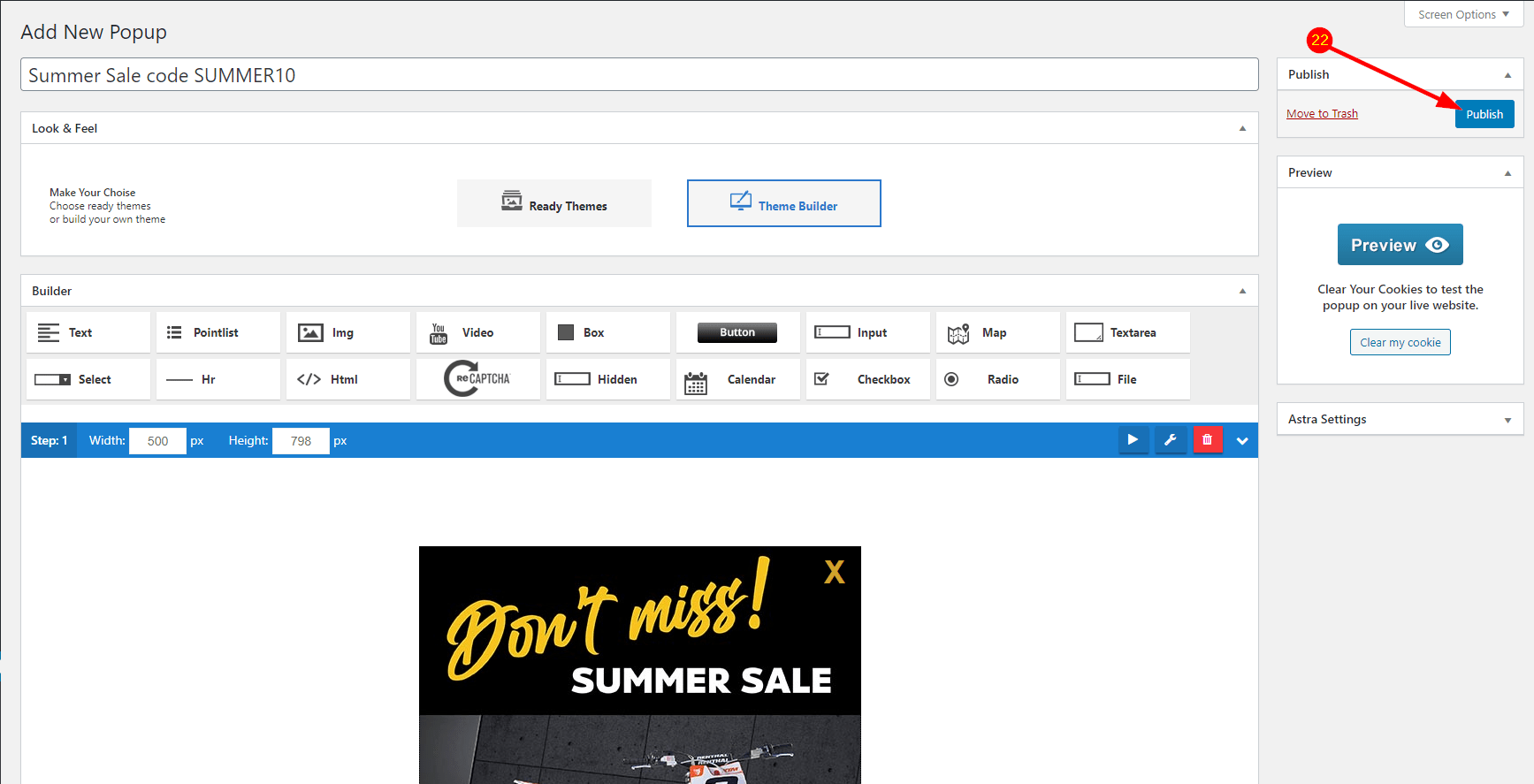
22. In the end click on Publish button to have the popup published and available
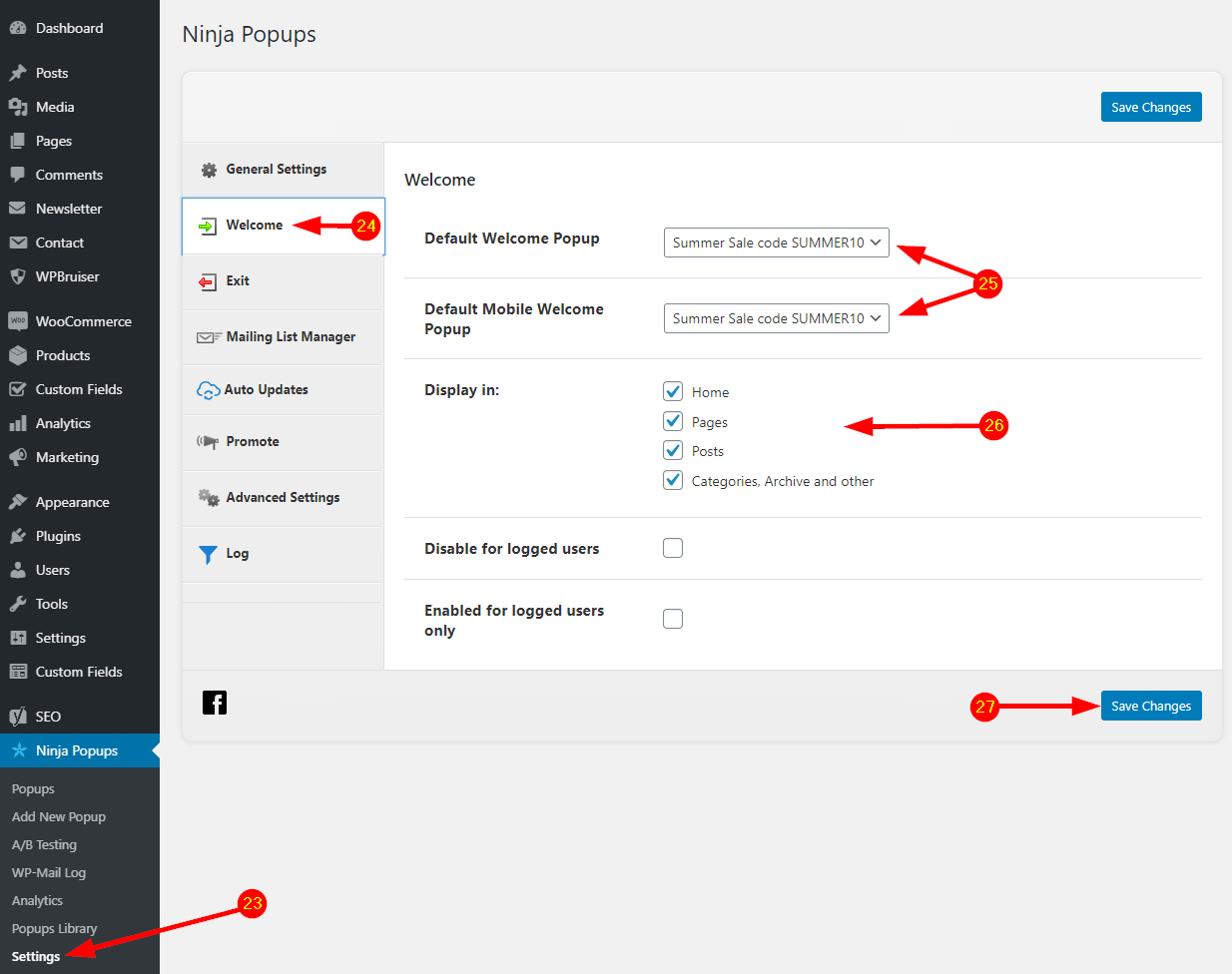
23. Now click on Settings under Ninja Popups in the admin menu
24. Click on Welcome section
25. Select the newly created popup as Default Welcome Popup for desktop and/or mobiles (otherwise it will not appear in front end!)
26. Select the pages where you would like the popup to pop
27. Click Save Changes to apply the settings
In the end please clear the caches and check the popup in front end. Best would be to check it by opening the website in an Incognito WIndow.