
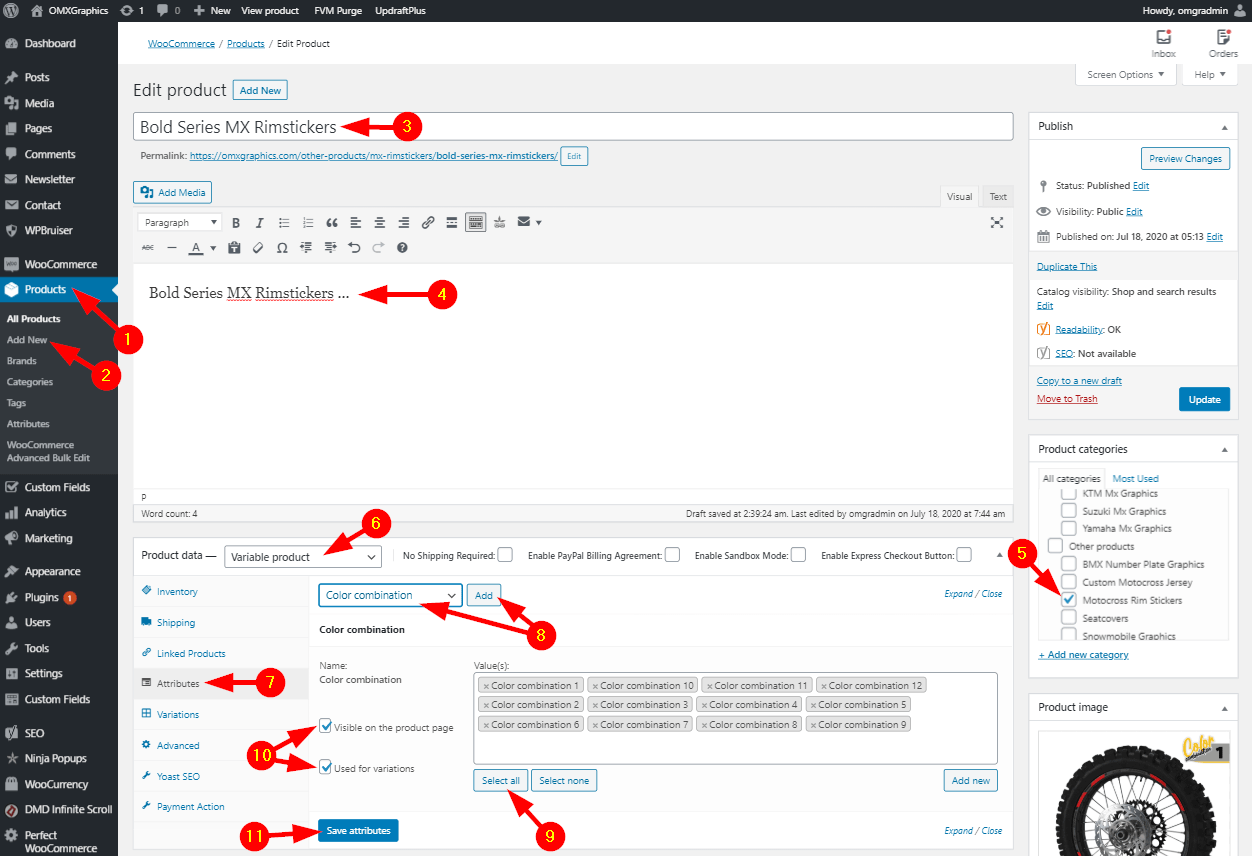
Please follow the steps below for that:
1. Start by hovering the Products admin menu item
2. Click Add New menu link under Products
3. Type in the product name
4. Type in the product description
5. Select the Rimstickers category checkbox
6. Select Variable product from list
7. Click Attributes section
8. Choose Color Combination attribute from the list and click Add button. Click OK on confirmation if it appears
9. Click Select all attributes button
10. Check both Visible on the product page and Used for variations options
11. Click Save Attributes button
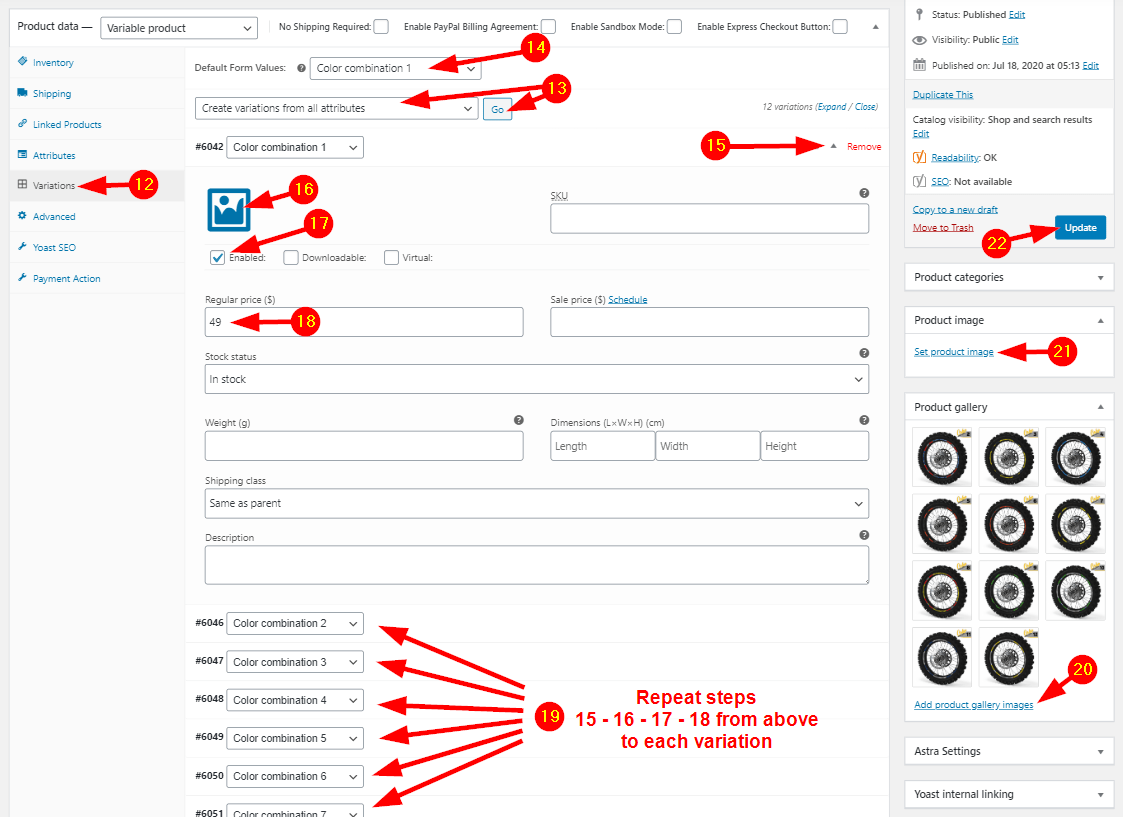
12. Click Variations section
13. Select Create variations from all attributes from the list and click the Go button
14. Select a default variation from the list (it will come up already selected when opening the product in the Shop)
15. Click the small arrow next to first variation
16. Click the Image symbol and add the variation for this variation
17. Make sure the variation is Enabled
18. Set the variation price
19. Repeat steps 15 – 16 – 17 – 18 from above to all variations in the page
20. Click Add product gallery images and add all the images previously added in variations (at step 16 at every variation in this page)
21 Click Set product image and choose a main image for the product (it will be displayed in product lists in the shop)
22. Click the Update button
After that the product will be available in the shop.