This is how to change prices for MX products, Full Kit variation. For other products please filter accordingly in steps 1 – 4 below.
Open Advanced Bulk Edit page at this address: https://omxgraphics.com/wp-admin/edit.php?post_type=product&page=advanced_bulk_edit
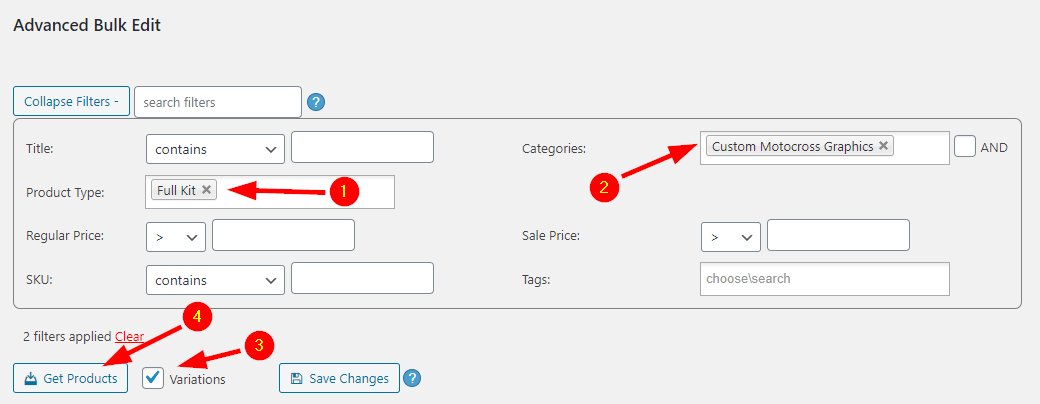
1. Choose Full Kit in Product Type
2. Choose Custom Motocross Graphics category
3. Select Variations (as only these have prices, not parent products)
4. Click Get Products
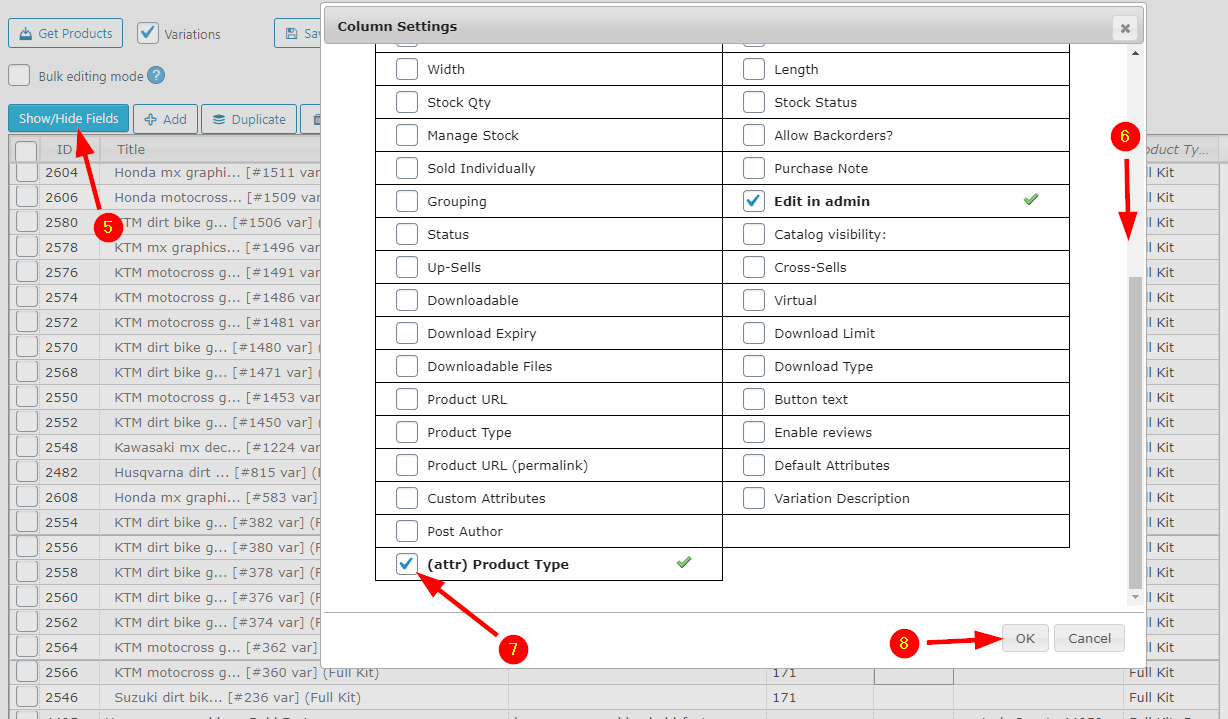
5. Click Show/Hide Fields button
6. Scroll at the end
7. Sellect (attr) Product Type option and
8. Click OK
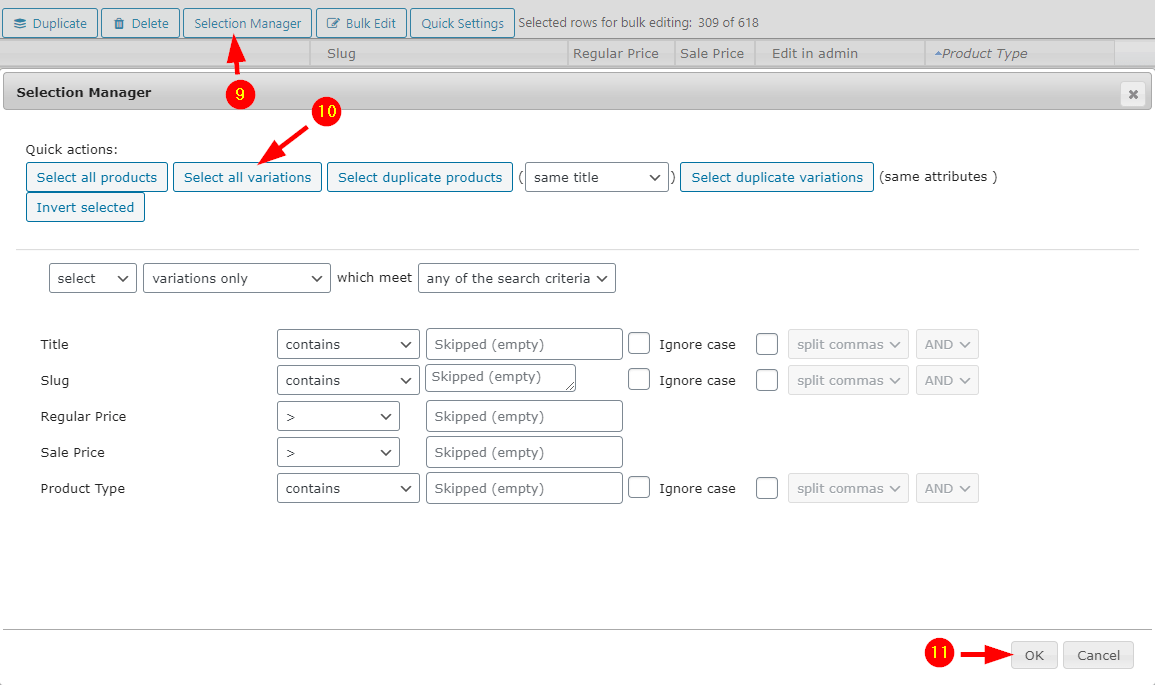
9. Click Selection Manager button
10. Click Select All variations
11. Click OK
12. Make sure only Full Kit products are selected on the left most column
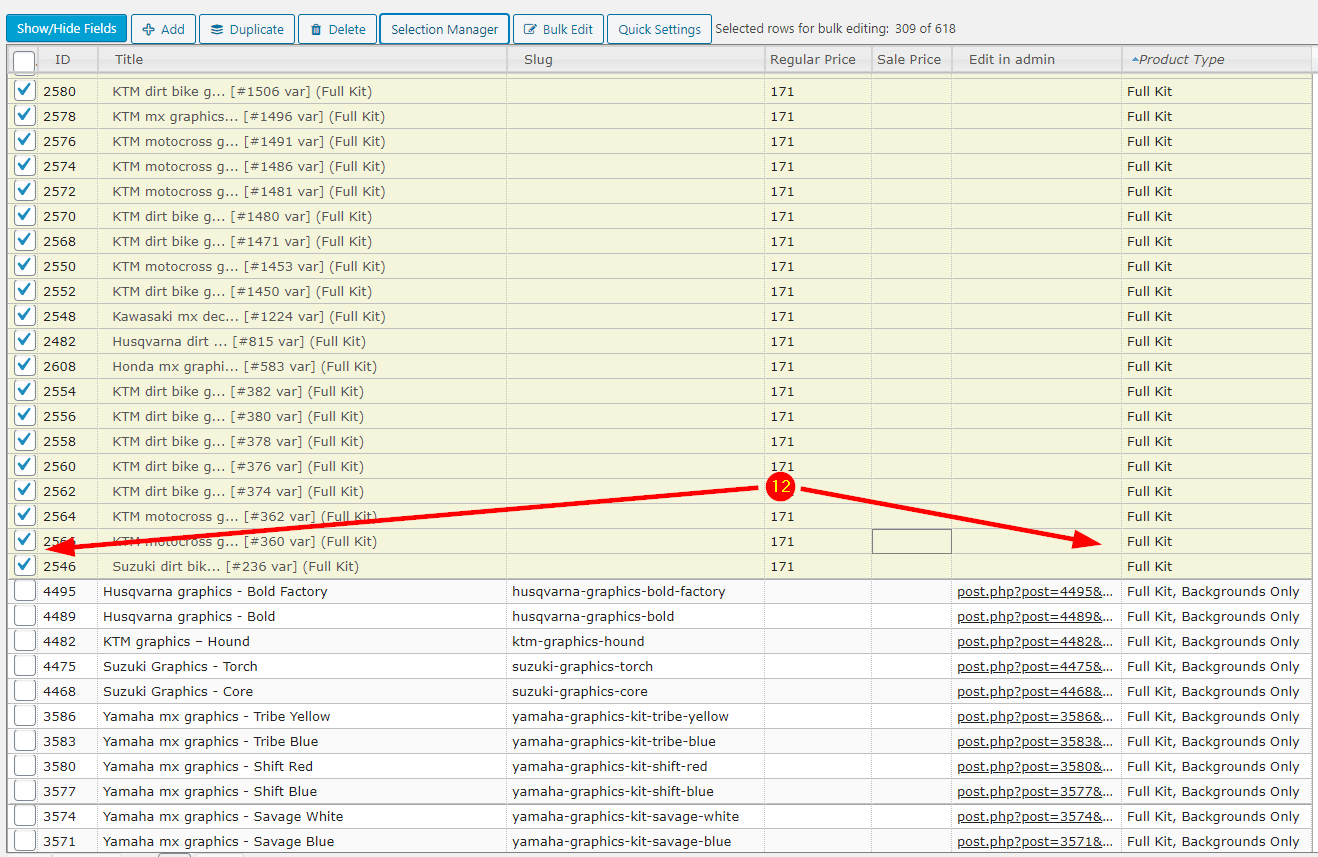
13. Type the new price in Regular Price field
14. Click OK
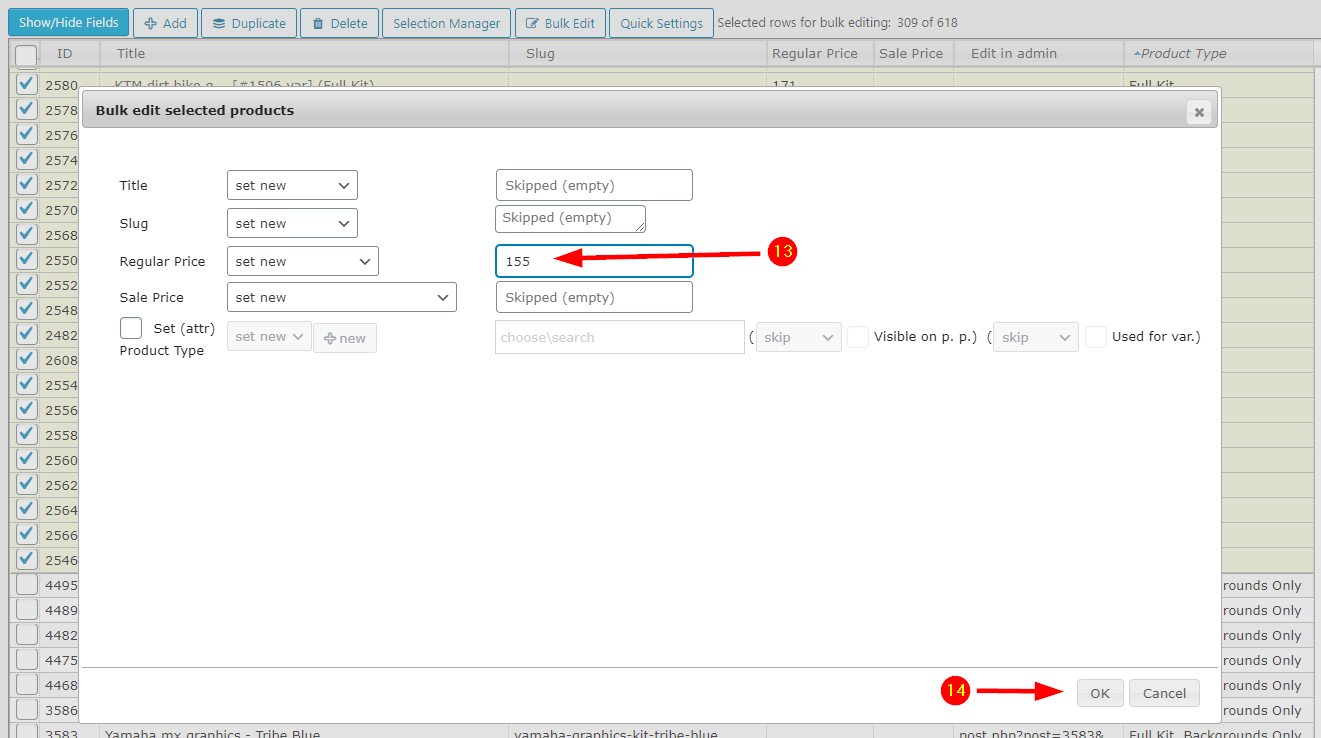
15. Wait until finished (can take a while) then make sure the right price is set in Regular Price column
16. Click Save Changes (can also take a while for selections with many products)
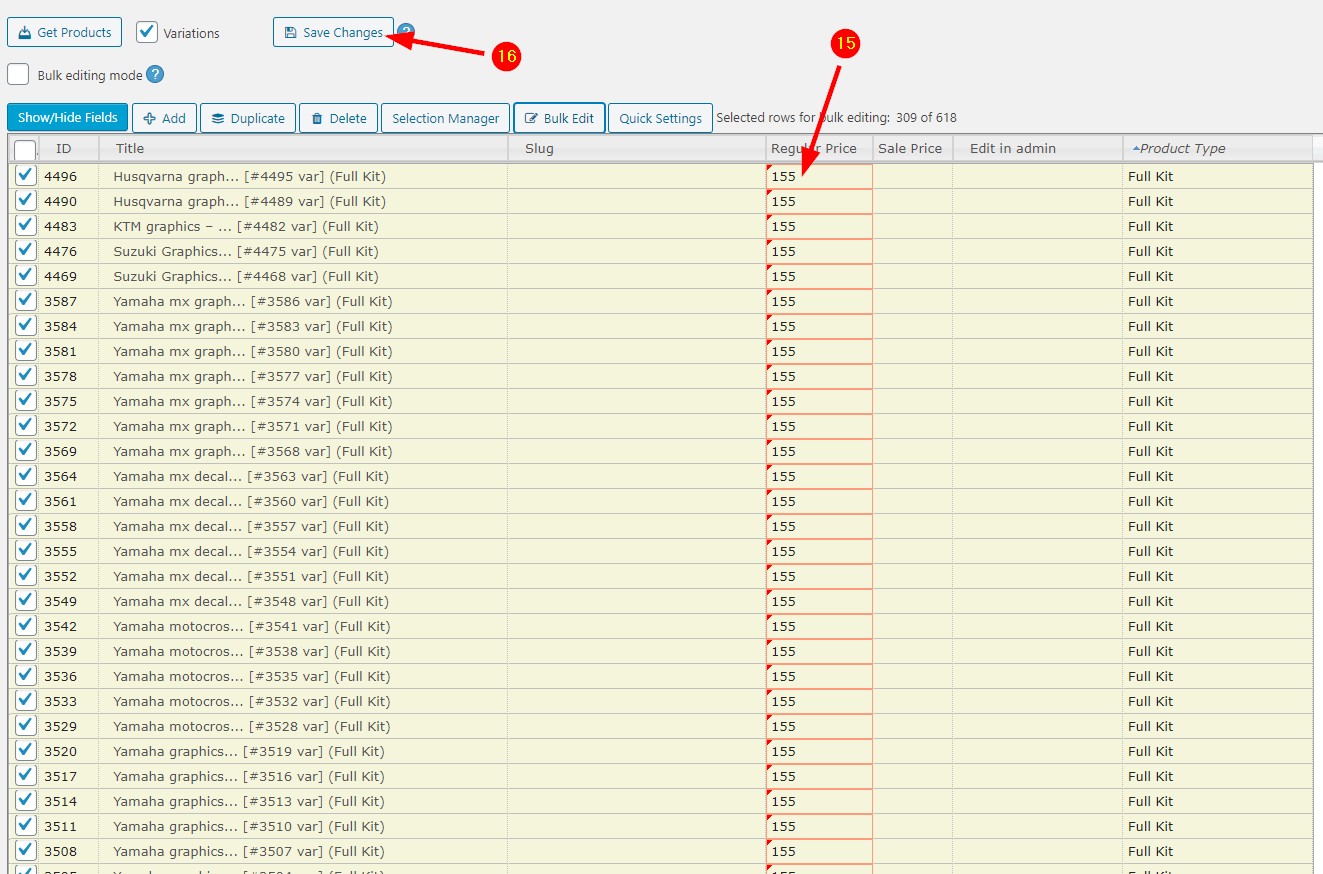
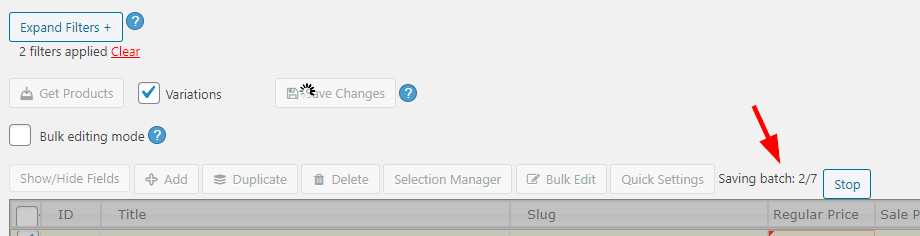
Even if saving changes for huge amounts of products the Bulk Editor will not stall or fail, please observe its saving status above the main table after clicking Save Changes: